A Practical Guide to Mastering Section 508 Testing

Sidharth Nayyar

TLDR: Effective Section 508 testing requires a multi-layered approach combining automated scanning tools, detailed manual checks, and hands-on testing with assistive technologies. The goal is to move beyond a simple pass/fail checklist to ensure digital products are truly usable and accessible for everyone, aligning with the WCAG 2.0 Level AA standards. A proactive, continuous testing strategy integrated into the development lifecycle is key to maintaining long-term compliance and creating inclusive digital experiences.
Getting to the Heart of Section 508 Testing
So, what exactly is Section 508 testing? In simple terms, it's the process of making sure a digital product—be it a website, a piece of software, or an electronic document—is accessible to people with disabilities, as U.S. federal law demands.
This isn't some abstract technical exercise. It’s about ensuring that government technology gives everyone equal access to information, especially individuals with visual, auditory, motor, or cognitive impairments. The real goal is to move from just ticking boxes on a checklist to confirming genuine usability.
Can someone using a screen reader navigate your site in a logical way? Can a person who can't use a mouse get to every feature with just their keyboard? Is the content presented clearly enough for everyone to understand? These are the questions we need to answer.
To do this right, you need a testing strategy with multiple layers. This flowchart gives a good overview of what a thorough testing process actually looks like from start to finish.
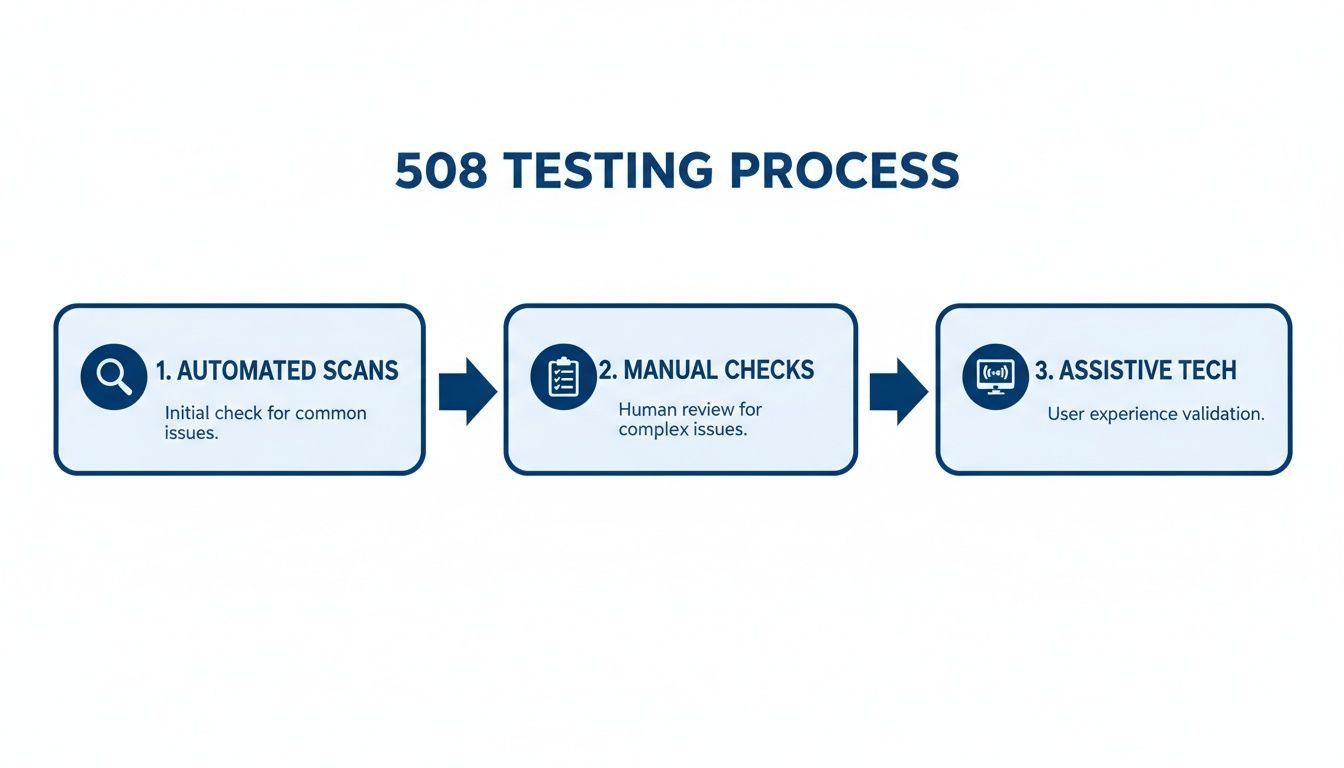
As you can see, each stage builds on the one before it. We start with broad automated scans to catch low-hanging fruit and then move into the more nuanced, human-led validation to ensure comprehensive coverage.
Why This Matters More Than Ever
The pressure for Section 508 compliance is higher than ever. Congress recently amended the Rehabilitation Act, and now every federal agency is required to conduct and report an annual Section 508 assessment.
This isn’t a small change—it’s a clear signal from the federal government that accountability is a top priority. Agencies, and the contractors who serve them, can no longer afford to treat accessibility as an afterthought.
A structured, proactive approach to Section 508 testing doesn't just manage legal risk. It helps you build an inclusive digital space, which can expand your audience and show that your organization is serious about its social responsibilities.
The Three Pillars of Section 508 Testing
To build a solid testing strategy, it helps to break down the core methods into three distinct pillars. Each one plays a unique and essential role in catching different types of accessibility barriers.
| Testing Method | Primary Goal | Common Issues Found |
|---|---|---|
| Automated Scans | Quickly identify widespread, code-based errors across a site. | Missing alt text, color contrast errors, empty links, ARIA syntax issues. |
| Manual Checks | Verify logical flow, context, and complex interactions that tools miss. | Confusing navigation, illogical heading structure, keyboard traps. |
| Assistive Tech (AT) Testing | Simulate the real user experience for people with disabilities. | Unannounced dynamic content, poor screen reader announcements, unusable forms. |
Together, these three pillars form a comprehensive system that moves beyond simple compliance checks to validate true usability. They ensure that your product doesn't just meet the technical standards but also delivers a functional and frustration-free experience for all users.
The Foundation of Modern Testing
At its core, all modern Section 508 testing is built on the Web Content Accessibility Guidelines (WCAG). The law officially points to WCAG 2.0 Level AA as the technical standard.
What this means for you is simple: to pass a Section 508 audit, your digital properties have to meet the specific success criteria laid out in WCAG. Understanding this link is absolutely critical for creating a testing plan that actually works. You can find a more detailed breakdown of the legal requirements in our glossary entry on Section 508.
This alignment gives testers a clear, internationally recognized framework to follow, centered on four key principles:
Perceivable: Can users perceive all the information? This covers things like providing text alternatives for images.
Operable: Is the interface usable for everyone? Think full keyboard accessibility and easy navigation.
Understandable: Is the information and the user interface easy to comprehend?
Robust: Is the content built to work reliably with a wide variety of browsers and assistive technologies?
Building a Strategic Section 508 Testing Plan
Before you run a single automated scan or launch a screen reader, you need a solid plan. This is where you move from good intentions to a concrete, actionable strategy, ensuring your resources are pointed in the right direction and everyone is aligned from day one.
Jumping straight into testing without a plan is a classic mistake. It's like trying to build a house without a blueprint—you might end up with a few standing walls, but you’ll inevitably miss critical structural elements. A strategic approach prevents wasted effort and focuses your team on what truly matters for both compliance and genuine usability.
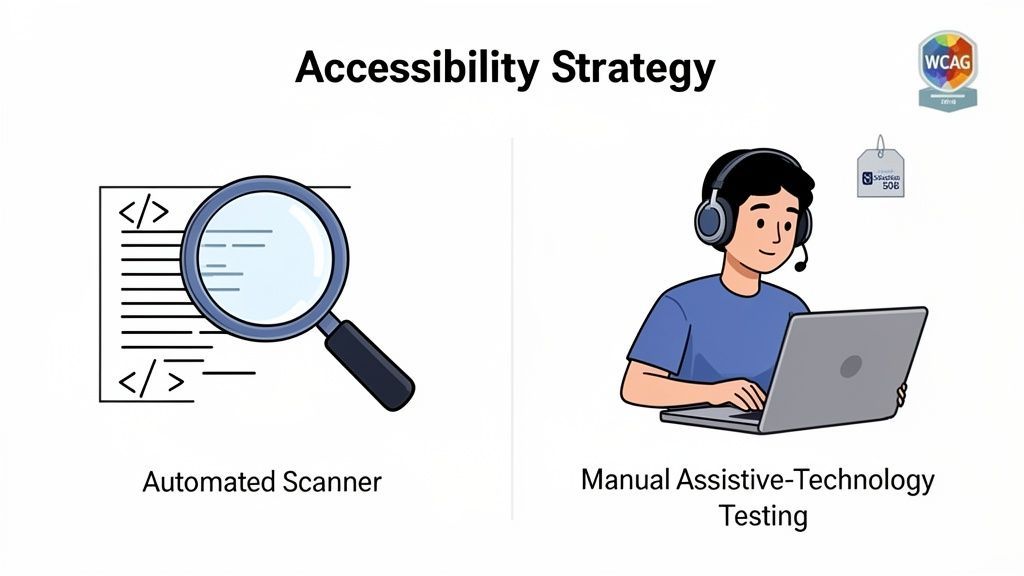
This initial planning phase is absolutely non-negotiable for a successful audit. It creates the framework for every testing activity that follows, from the first automated scan to the final manual review.
Defining Your Testing Scope
First things first: you have to decide what’s in and out of scope. You can't test everything at once, so getting specific here is crucial. Make sure this scope is documented and agreed upon by all stakeholders before you begin.
Start by creating an inventory of all your digital properties. This usually includes:
Public-facing websites: Every single page, from the homepage down to the privacy policy.
Internal applications: Any platform or software your employees use to do their jobs.
Electronic documents: Think PDFs, Word documents, and slideshows that are available to the public.
Mobile applications: Both the iOS and Android versions.
With a complete list in hand, it's time to prioritize. Not all assets carry the same level of risk or user impact. A high-traffic application for citizens to access public benefits, for instance, is a much higher priority than an archived internal newsletter from five years ago.
Prioritizing based on user impact is the most effective way to manage resources. Focus first on the core user journeys and critical functionalities that people rely on every day. This ensures your initial efforts make the biggest difference.
To make your plan even more efficient, I highly recommend implementing a shift-left testing approach. This just means integrating accessibility checks earlier in the development lifecycle. Catching issues before they're baked into the final product saves an incredible amount of time and money on remediation down the line.
Assembling the Right Team
Effective Section 508 testing is a team sport. Accessibility is a shared responsibility, not just one person’s job, so your ideal team should bring together different skills and perspectives.
Here are the key roles I've seen on successful teams:
Developers: They know the code inside and out and will be the ones implementing the fixes.
QA Testers: They bring a structured testing mindset and can weave accessibility checks into their existing workflows.
UX/UI Designers: They're essential for ensuring accessible design principles are baked in from the very beginning.
Content Creators: They own the responsibility for making sure text, images, and documents are created accessibly.
Accessibility Specialist: This is your expert guide who can interpret WCAG standards, perform advanced assistive technology testing, and keep the process on track.
When you have this mix of expertise, accessibility is considered from every angle, from the first design mock-up to the final code deployment. This kind of collaborative approach helps build a culture where everyone feels ownership over creating an inclusive user experience.
Setting Clear Success Criteria
Finally, your plan has to define what "success" actually looks like. Since Section 508 legally points to WCAG 2.0 Level AA as its technical benchmark, your success criteria need to map directly to those guidelines.
This means your testing will be validating conformance against specific WCAG success criteria. Instead of a vague goal like "make the site more accessible," you’ll have concrete targets. For example: "Ensure all images have descriptive alt text (WCAG 1.1.1)" or "Guarantee all functionality is operable via a keyboard (WCAG 2.1.1)."
This level of detail is non-negotiable. It gives your team a clear checklist to work from and provides an objective way to measure progress. It also becomes the foundation of your final compliance report, making it simple to show exactly how your digital assets meet the required standards.
Combining Automated Scans with Manual Audits
When it comes to Section 508 testing, think of automated scanners as your initial reconnaissance team. They are incredibly fast and efficient, sweeping through your code to catch common, black-and-white accessibility issues.
These tools are built to spot specific rule violations. For instance, they'll instantly flag an image missing its alt text, catch a hex code that fails color contrast ratios, or identify a heading that skips a level (like jumping from an H1 to an H3). A good scan can reliably catch 30-40% of potential WCAG violations, making it a fantastic place to start. There's a whole world of Section 508 compliance testing software out there, so you can find one that fits your team's workflow.
But here’s the catch: relying only on automation leaves huge gaps. A tool can see that an alt attribute exists, but it has no idea if the text inside is meaningful or just a string of random characters. That’s where a human expert becomes absolutely essential.
The Critical Role of Manual Inspection
Manual testing is what separates technical box-checking from genuine usability. It’s where an experienced tester sits down and actually uses your website or application, applying human judgment to evaluate context, logic, and the overall user journey—things a machine can’t grasp.
This hands-on process is how you uncover the truly frustrating barriers that users face. It’s less about finding code-level bugs and more about experiencing your product the way someone with a disability would.
A common pitfall in Section 508 testing is over-reliance on automated tools. True compliance is only achieved when manual, human-centered evaluation verifies that a product is not just technically sound but genuinely operable for everyone.
Of course, even with the best intentions, finding the time and people for this is a real challenge. The FY24 Governmentwide Section 508 Assessment actually showed a dip in conformance scores among federal agencies, pointing to "insufficient testing resources" as a major roadblock. This reality often means teams can't test their most important digital products as often as they should. You can dig into the findings on the official Section 508 government site.
Keyboard-Only Navigation Testing
One of the first and most fundamental manual checks is navigating with only a keyboard. This simple test ensures that anyone who can't use a mouse—perhaps due to a motor disability—can still reach and operate every interactive part of the page.
It’s easy to do. Just unplug your mouse and try to get around.
Tab Key: Moves you forward through every link, button, and form field.
Shift + Tab: Moves you backward through those same elements.
Enter/Spacebar: Should activate whatever you have focused on, like clicking a button or checking a box.
Arrow Keys: Help you navigate inside components, like moving between options in a dropdown menu.
As you test, be on the lookout for "keyboard traps." This is where your focus gets stuck inside an element, like a pop-up window, and you can’t tab your way out. You also need to see a clear, visible outline around the element you're on. This focus indicator is the keyboard user's version of a mouse cursor.
This screenshot from WebAbility.io shows a perfect example of a highly visible focus state on a navigation link.
Without that clear visual feedback, a user can easily get lost and have no idea where they are on the page.
Testing with Screen Readers
The final, and most insightful, piece of the puzzle is testing with assistive technologies, especially screen readers. Tools like NVDA (free), JAWS (the industry standard), and VoiceOver (built into Apple devices) translate on-screen content into spoken words, simulating the experience for users who are blind or have low vision.
This is where you uncover problems that are completely invisible to the eye. If you're new to accessibility or just want an expert opinion, getting a free audit service can be a great way to establish a baseline.
When you're running a screen reader test, you're listening for common red flags:
Unlabeled Controls: You hear "button" or "checkbox" but get no description of what it does. This is a classic sign of a missing label.
Illogical Reading Order: The screen reader jumps all over the page instead of following a logical path, which means the code order doesn't match the visual layout.
Noisy Announcements: Decorative images or icons are announced, cluttering the experience with useless information.
Silent Updates: New content appears on the page (like search results loading), but the screen reader says nothing, leaving the user completely unaware.
By pairing the broad, sweeping checks of automated scans with the deep, contextual analysis from manual and assistive technology testing, you build a truly solid Section 508 testing strategy. This dual approach is the only way to move beyond simple compliance and create digital experiences that work for everyone.
From Audit to Action: Creating a Remediation Workflow That Works
Finding accessibility issues is one thing, but actually getting them fixed is where the real work begins. A solid remediation plan is the bridge between your audit report and a genuinely accessible product. It’s what turns a long list of problems into a prioritized, step-by-step roadmap for your development team.
Let's be honest: without a structured process, even the best audit report will just gather dust. The goal here is to get beyond just pointing out what's broken and create a clear path forward that plugs right into how your team already builds and ships software.
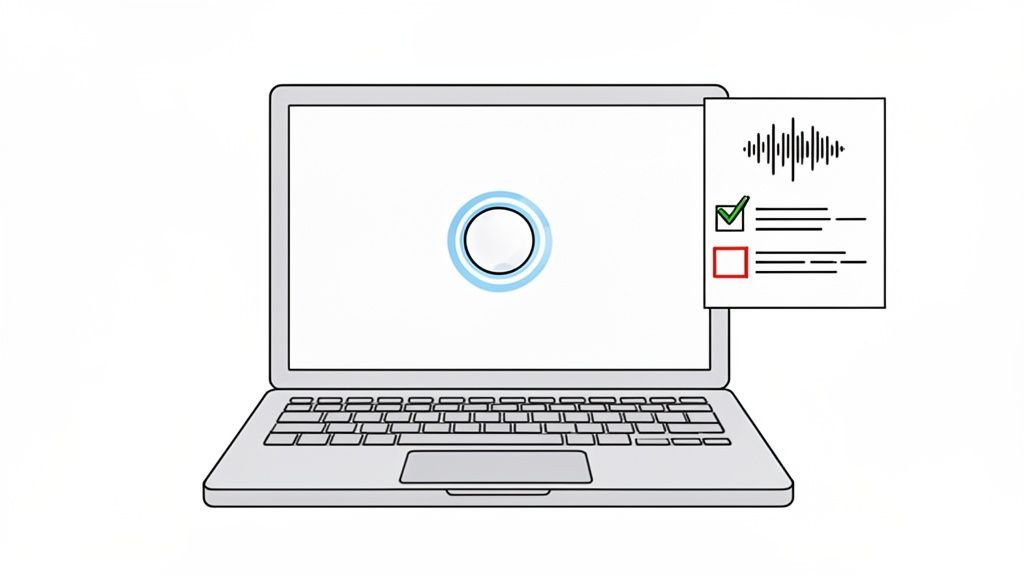
When you treat accessibility bugs with the same gravity as functional bugs, you build a feedback loop that doesn't just fix today's problems—it prevents them from happening again tomorrow.
Documenting Issues Like a Pro
Every single finding from your Section 508 testing needs to be documented with painstaking detail. A bug report that just says "button is broken" is completely useless to a developer. Think of each ticket as a self-contained instruction manual for fixing one specific problem.
A killer issue ticket should always contain:
A Specific Title: Clearly state the problem and where to find it (e.g., "Homepage Hero Image: Missing Alt Text").
A Detailed Description: Explain what's wrong and, crucially, why it's a barrier for users with disabilities.
Steps to Replicate: Give a simple, numbered list of steps to reproduce the issue every single time.
Hard Evidence: Attach annotated screenshots, screen recordings, or code snippets. Show, don't just tell.
The "Why": Cite the specific WCAG success criterion or Section 508 provision that's being violated (e.g., WCAG 2.1.1 Keyboard).
Getting this level of detail right is non-negotiable. It dramatically speeds up the fix and gives you a concrete audit trail, proving you're serious about accessibility. If you're building this process from scratch, this guide on conducting a website accessibility audit is a great resource for learning how to document findings effectively.
Prioritizing Fixes by Real-World Impact
With a backlog of well-documented issues, you have to decide what to fix first. Not all accessibility bugs carry the same weight. Some are total roadblocks, while others are minor annoyances. A smart prioritization framework helps you point your team's limited resources where they’ll do the most good.
The best way I've found to prioritize is by looking at two factors: the severity of the barrier and its location. A critical error that stops someone from completing a core task, like submitting a form, is always going to be a higher priority than a minor color contrast issue on an old blog post.
To make this systematic, we can use a matrix to classify issues and set clear priorities.
Issue Severity and Prioritization Matrix
A framework for classifying accessibility issues to guide remediation efforts effectively.
| Severity Level | Description | Example | Remediation Priority |
|---|---|---|---|
| Blocker | Prevents users from accessing content or completing critical tasks. | A checkout button that is inaccessible via keyboard. | Highest |
| Critical | Seriously degrades the user experience for a large group of users. | An entire section of a website is unreadable with a screen reader. | High |
| Serious | Causes significant frustration or confusion for users. | Form fields with missing labels, making them difficult to understand. | Medium |
| Minor | A minor inconvenience that does not prevent task completion. | Low color contrast on a non-essential footer link. | Low |
Using a simple framework like this brings logic and clarity to your remediation plan, making it easy for developers, project managers, and stakeholders to understand what needs to be done and why.
Weaving Accessibility Into Your Dev Workflow
The last, and maybe most important, step is to get these tickets out of a spreadsheet and into your team's day-to-day workflow. Accessibility fixes belong in the same system your developers use for everything else.
Whether your team lives in Jira, Asana, or Azure DevOps, create tickets for accessibility issues just like any other bug. Assign them to the right people, add them to sprints, and talk about them in your planning meetings.
This simple change accomplishes three critical things:
It Creates Visibility: Accessibility issues are no longer an afterthought. They're on the board for everyone to see.
It Drives Accountability: Every ticket has an owner who is responsible for seeing it through.
It Normalizes Accessibility: This sends a clear signal that accessibility isn't optional—it's a fundamental part of quality.
By embedding remediation directly into your development lifecycle, Section 508 testing stops being a one-off audit and becomes a sustainable, continuous practice of building better, more inclusive products for everyone.
Creating Reports and Maintaining Long-Term Compliance
Once you've done the hard work of testing and remediation, the final step is to formalize your findings and, crucially, make sure accessibility isn't just a one-off project. A single audit only gives you a snapshot in time. Your website and applications are always evolving, and true compliance comes from building a sustainable culture around accessibility.
This is where you shift from fixing today's problems to preventing them tomorrow. It’s about creating official proof of your work and setting up systems that keep you compliant for the long haul.
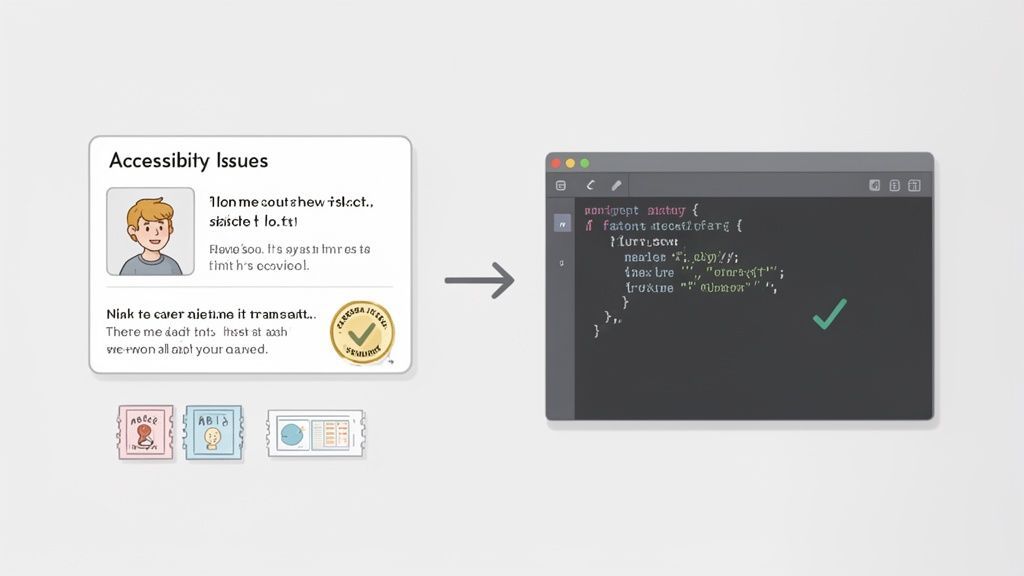
Compiling a Comprehensive Compliance Report
First, you need to pull all your findings together into a formal report. This document acts as your official record, detailing the audit's scope, the methods you used, and how your product stacks up against each WCAG success criterion. If you're selling to the U.S. federal government, the gold standard for this is the Voluntary Product Accessibility Template (VPAT).
When you fill out a VPAT, it becomes an Accessibility Conformance Report (ACR). Think of it as a transparent scorecard showing exactly where your product meets—or falls short of—the technical standards in Section 508.
A solid report isn't just a data dump. It should include:
An Executive Summary: A quick, high-level overview for stakeholders that gets straight to the point about the findings and overall compliance status.
Detailed Technical Data: The real meat of the report. This is a granular, criterion-by-criterion breakdown of your findings, linking back to the specific issues you documented.
Methodology Overview: A clear explanation of how you tested. List the automated tools, assistive technologies, and browser versions you used.
This report is more than just paperwork. It’s a vital tool for accountability and a non-negotiable deliverable for most government procurement processes. It proves you've done your due diligence and gives you a clear baseline for future work.
Shifting to a Continuous Monitoring Mindset
The biggest mistake I see teams make is treating accessibility like a project with a start and an end date. A website is a living thing—new features, content, and code are added constantly. A perfectly compliant site today can easily slip out of compliance by next month.
The goal is to evolve from periodic, high-effort audits to a state of continuous compliance. This means embedding accessibility checks into the very fabric of your development and content creation processes.
This proactive approach doesn't just keep your products accessible; it dramatically cuts down the cost and headache of remediation over time. It turns accessibility into a routine part of quality assurance, right alongside performance and security testing.
Practical Strategies for Sustained Compliance
Staying compliant requires a smart, multi-layered strategy. It’s all about weaving accessibility into your team's daily habits and workflows. This isn't just a "nice-to-have" anymore; robust Section 508 testing is a core risk-management activity. Globally, laws like the EU's EN 301 549 and Ontario's AODA have baked WCAG standards into law. In the U.S. alone, ADA Title III lawsuits hit 8,800 in 2024. You can learn more about how accessibility laws are shaping digital practices.
Here are a few battle-tested strategies to make accessibility stick:
Integrate Scans into Your CI/CD Pipeline: Use automated accessibility tools that plug right into your development pipeline. This lets you catch obvious errors with every single code commit, long before they ever make it to a live server.
Conduct Regular Mini-Audits: Instead of waiting a full year for another massive audit, schedule smaller, recurring manual checks on your most critical user journeys. A quarterly review of your checkout flow, for instance, can catch high-impact issues before they become major problems.
Empower Teams with Ongoing Training: Accessibility isn't static. Standards and best practices change. Hold regular training sessions for your developers, designers, and content creators to keep their skills sharp and ensure everyone is building from the same, up-to-date playbook.
By adopting these habits, you move accessibility from an isolated event to a core part of how you build and maintain digital products. It’s the clearest way to show a lasting commitment to inclusive design and ensures your Section 508 testing efforts deliver real, enduring value.
Frequently Asked Questions About Section 508 Testing
Getting started with digital accessibility brings up a lot of questions. We get it. Here are the answers to some of the most common ones we hear about Section 508 testing, explained in plain English.
What Is the Difference Between Section 508, ADA, and WCAG?
It’s easy to get these mixed up, but they each play a distinct role. The best way I've found to explain it is by thinking of them as interconnected layers.
WCAG (Web Content Accessibility Guidelines): This is the technical playbook. It’s a globally recognized set of standards that gives developers and designers the "how-to" for building accessible websites and apps. It's the blueprint for accessibility.
Section 508: This is a U.S. federal law, plain and simple. It mandates that federal agencies make their technology accessible to people with disabilities. Crucially, the law points directly to WCAG 2.0 Level AA as its technical standard. So, if you're working on a federal project, you're legally required to follow WCAG.
ADA (Americans with Disabilities Act): This is a broad U.S. civil rights law that prohibits discrimination based on disability in all areas of public life. While the ADA doesn't name a specific technical standard for websites, courts consistently use WCAG as the benchmark to decide if a website or app is accessible.
So, WCAG gives you the technical rules, while Section 508 and the ADA are the legal frameworks that enforce those rules.
Can I Rely Solely on Automated Accessibility Testing Tools?
In a word? No. It's a common mistake, but relying only on automated tools will leave you with a huge compliance gap.
Automated scanners are incredibly helpful for getting started. They’re fast and can catch about 30-40% of accessibility issues—things like missing alt text, basic color contrast problems, or improper heading structures. But that’s where their usefulness ends. They can't understand context or user experience.
For instance, a tool can check if an image has an
altattribute. But it has no idea if the alt text is actually descriptive ("A golden retriever catching a red frisbee in a sunny park") or just useless filler ("image123"). Only a human can make that judgment.
True Section 508 testing requires a human touch. You absolutely must include manual checks, especially keyboard-only navigation and testing with actual assistive technologies like screen readers. It’s the only way to know if your product is truly usable, not just technically compliant on a superficial level.
How Often Should We Perform Section 508 Testing?
Accessibility isn't a one-time fix; it's a continuous practice. Your testing schedule should mirror your development pace to be effective.
Trying to cram it all in at the end is a recipe for disaster. A much smarter approach is to layer your testing:
During Development: Integrate automated accessibility scans right into your CI/CD pipeline. This gives developers immediate feedback and nips common errors in the bud before they ever become bigger problems.
Every Quarter: Run focused, manual mini-audits on your most critical user flows. Think about your checkout process, login page, or main search function. This keeps your most important real estate in good shape.
Annually (or After Major Changes): At least once a year, or after a big redesign or feature launch, it's time for a full, comprehensive audit. This deep dive covers everything and ensures you haven't let things slip.
This approach makes Section 508 testing a manageable, proactive part of your routine instead of a last-minute fire drill. It weaves accessibility into your quality process, right where it belongs.
Ready to build a sustainable accessibility practice? WebAbility.io provides an end-to-end platform with automated scanning, real-time monitoring, and expert audit services to help you achieve and maintain compliance with confidence. Discover how our tools can simplify your Section 508 testing at https://www.webability.io.
Quick Questions
Tap to ask AI about this article